




Proprietary Adaptive APL Algorithm
FSI monitors are the industry’s first SDI-equipped professional QD-OLED displays to offer a selectable Global vs. Highlights ABL mode. Driven by a proprietary adaptive APL algorithm and calibration process, these selectable modes give operators unparalleled control over how their display treats high-APL images. The information below takes a closer look at these two operating modes.
GaiaColor ABL Mode: Choose between Global and Highlights
Loading behavior is a characteristic common to most HDR display technologies. Loading behavior occurs when the APL (Average Picture Level) exceeds the panel’s available power budget. Most QD-OLED displays exhibit loading behavior only as global ABL (Automatic Brightness Limiting), which reduces luminance across the entire image. FSI QD-OLED monitors uniquely provide two ABL modes for use with PQ signals, allowing users to select the behavior best suited to their application.
For the majority of typical content, loading behavior is unlikely to occur. These settings affect display behavior only when viewing higher-APL scenes that exceed the panel’s available power budget.
Global ABL Mode (default)
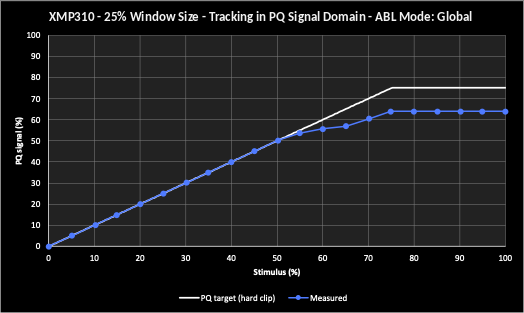
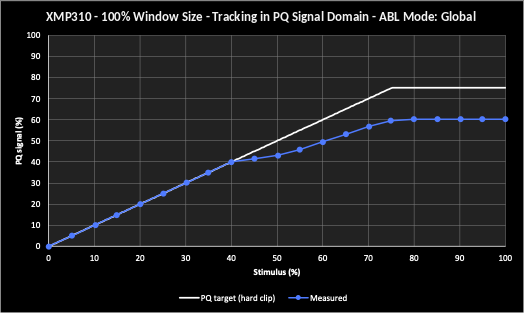
When ABL is required, luminance is reduced evenly (globally) across the entire image. This preserves gradation and separation between code values up to the code value corresponding to the display’s selected peak luminance setting.
Global mode is particularly useful when seeing distinct highlight details is the priority, allowing operators to clearly assess the highlight information present in a scene even when ABL is active.
Highlights ABL Mode
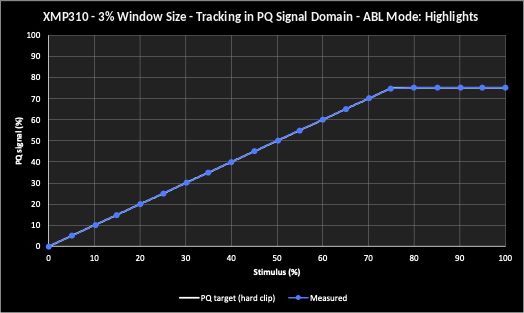
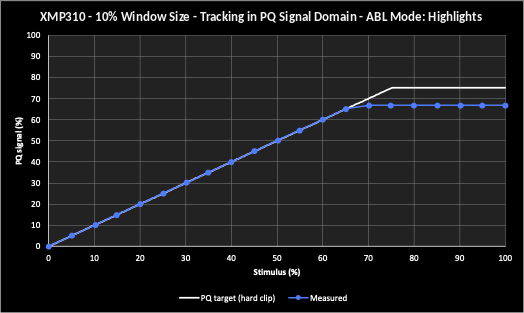
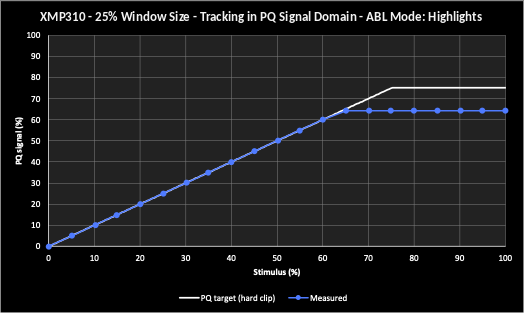
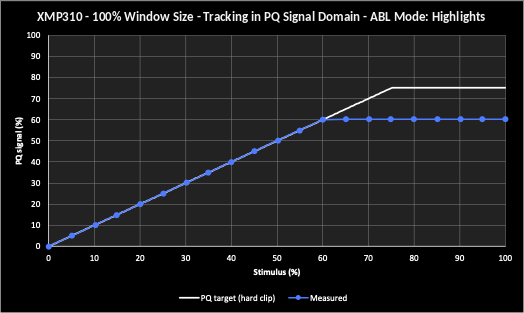
Driven by a proprietary Adaptive APL algorithm, when the image APL would otherwise trigger global ABL, luminance reduction is instead concentrated in the highlights to the extent necessary to prevent the rest of the image from dimming. The algorithm is informed by a dedicated Adaptive APL calibration procedure that runs automatically as part of the standard GaiaColor AutoCal process: a set of additional measurements, unique to each monitor, that characterize how the panel’s luminance responds across a range of APL conditions. This preserves luminance accuracy in the critical lowlight and mid-tone regions of the image even when ABL is active.
Highlights mode is particularly useful when consistent tonal and color accuracy across the bulk of the image is the priority. By holding the shadows and mid-tones stable regardless of scene APL, it ensures that grading decisions aren’t influenced by image-wide luminance shifts.
The GaiaColor Highlight ABL algorithm continuously analyzes the signal in real time and limits highlights only to the extent required by the current image content. As a result, many typical HDR scenes are displayed with little or no highlight clipping. Highlight limiting progressively increases only as necessary when scene APL exceeds the panel’s available power budget.
The GaiaColor Highlights ABL Mode can be activated from the monitor’s Color-Global menu or assigned to a function key allowing for instantaneous switching between Global and Highlights mode.
Global vs. Highlights: measured tracking
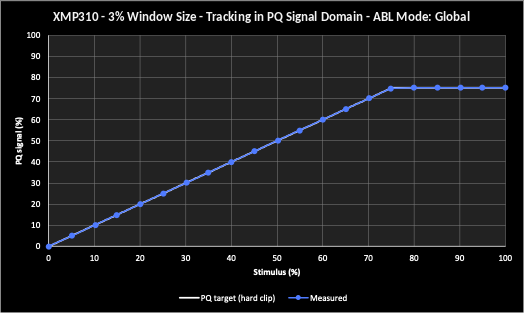
The following charts illustrate the difference in these modes. Please note that these charts represent loading behavior on an XMP310 set to 1000 nit peak luminance mode. Larger units like the V550, VP551, VP651, XMP550, XMP551, and XMP651 can get much brighter and exhibit significantly less loading behavior so the difference between Global and Highlights tends to be much more subtle on those brighter units.
Global GaiaColor ABL Mode
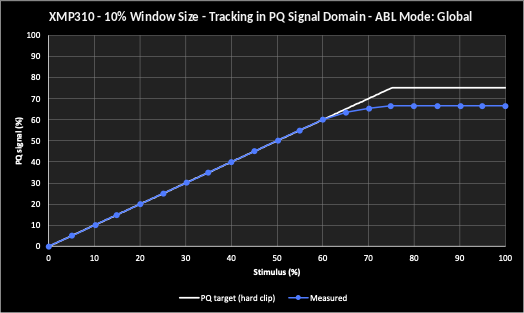
Highlights GaiaColor ABL Mode
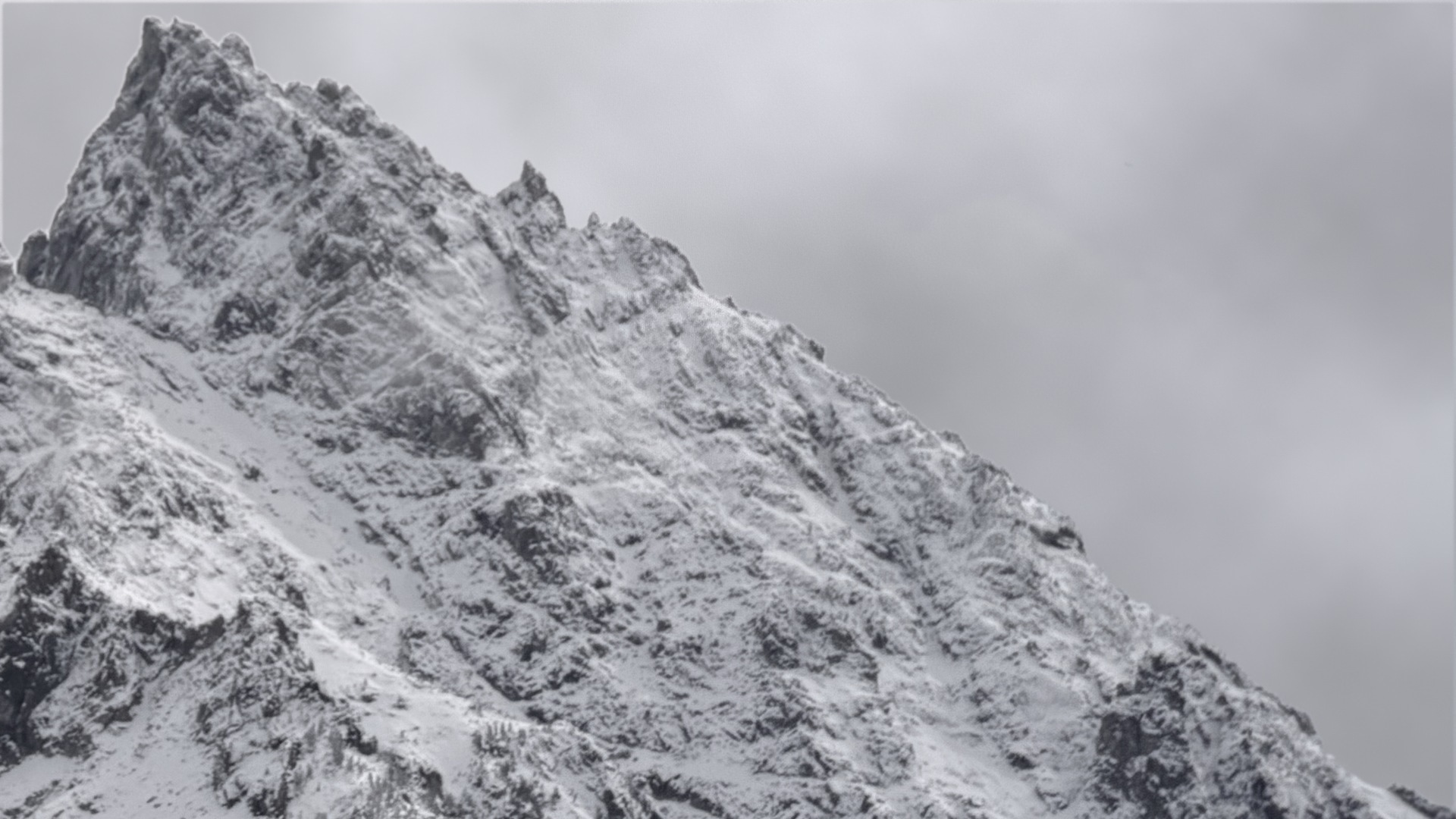
Global GaiaColor ABL Mode Example*
Highlights GaiaColor ABL Mode Example*
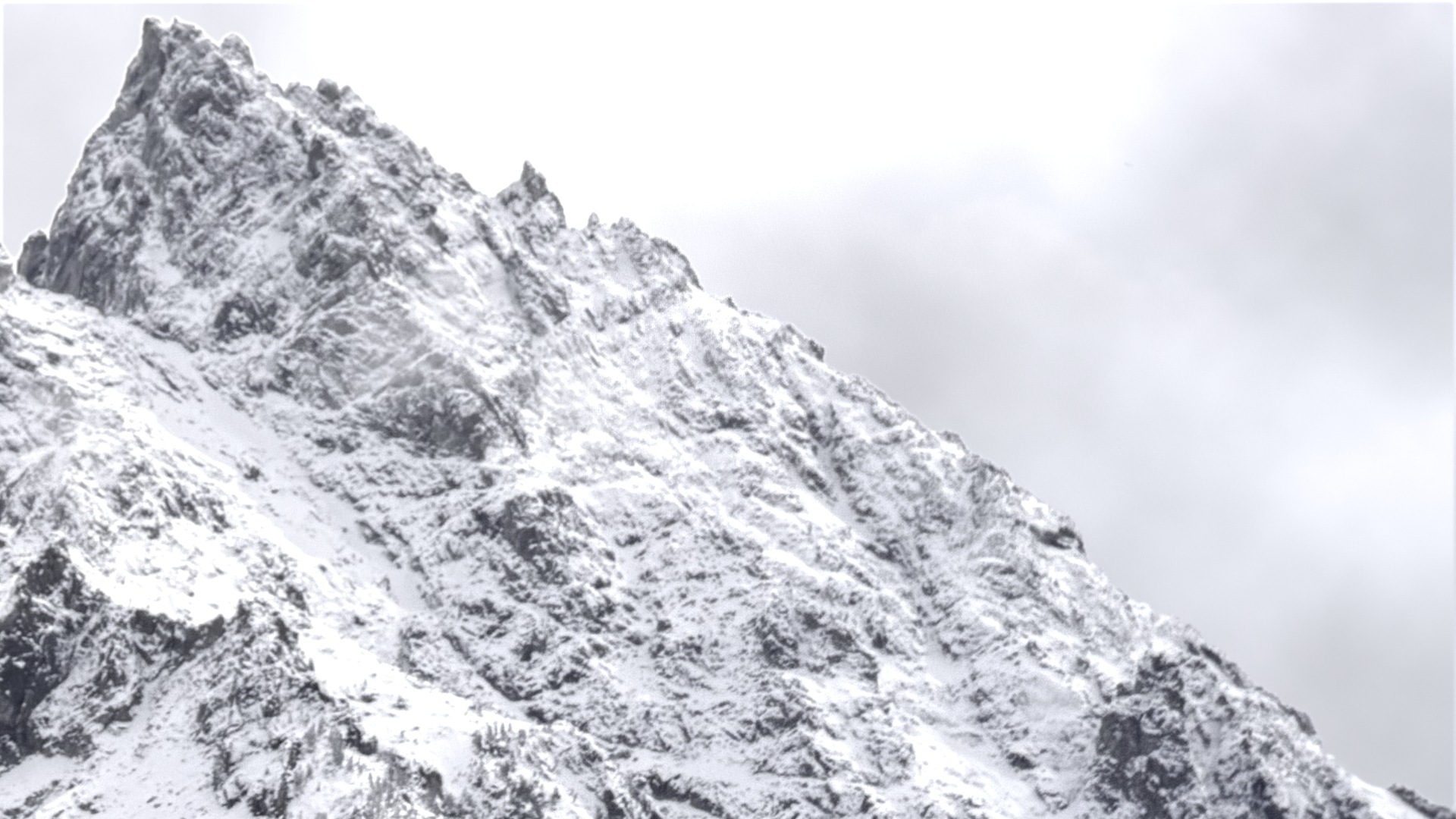
*Simulated images for illustrative purposes only