
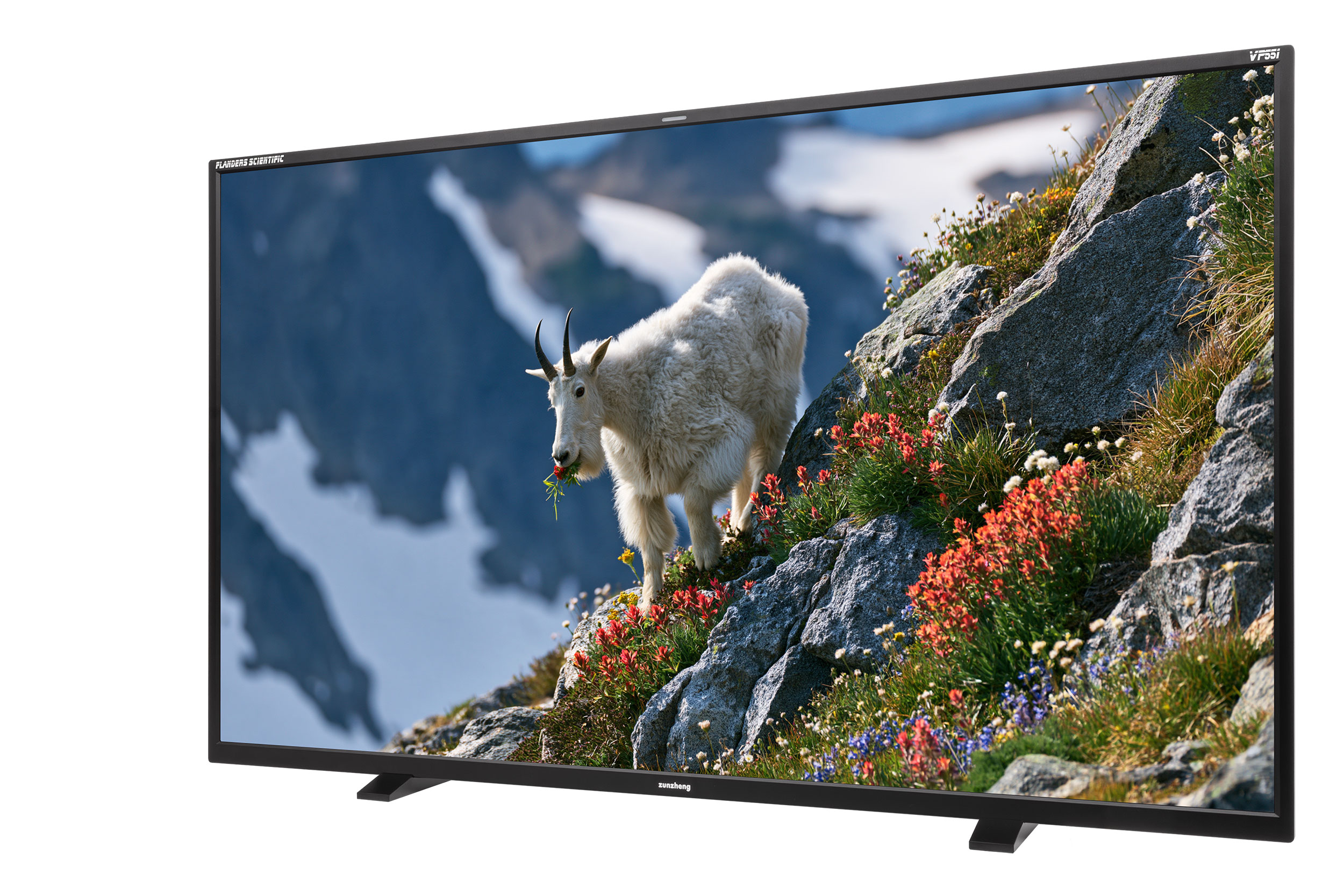
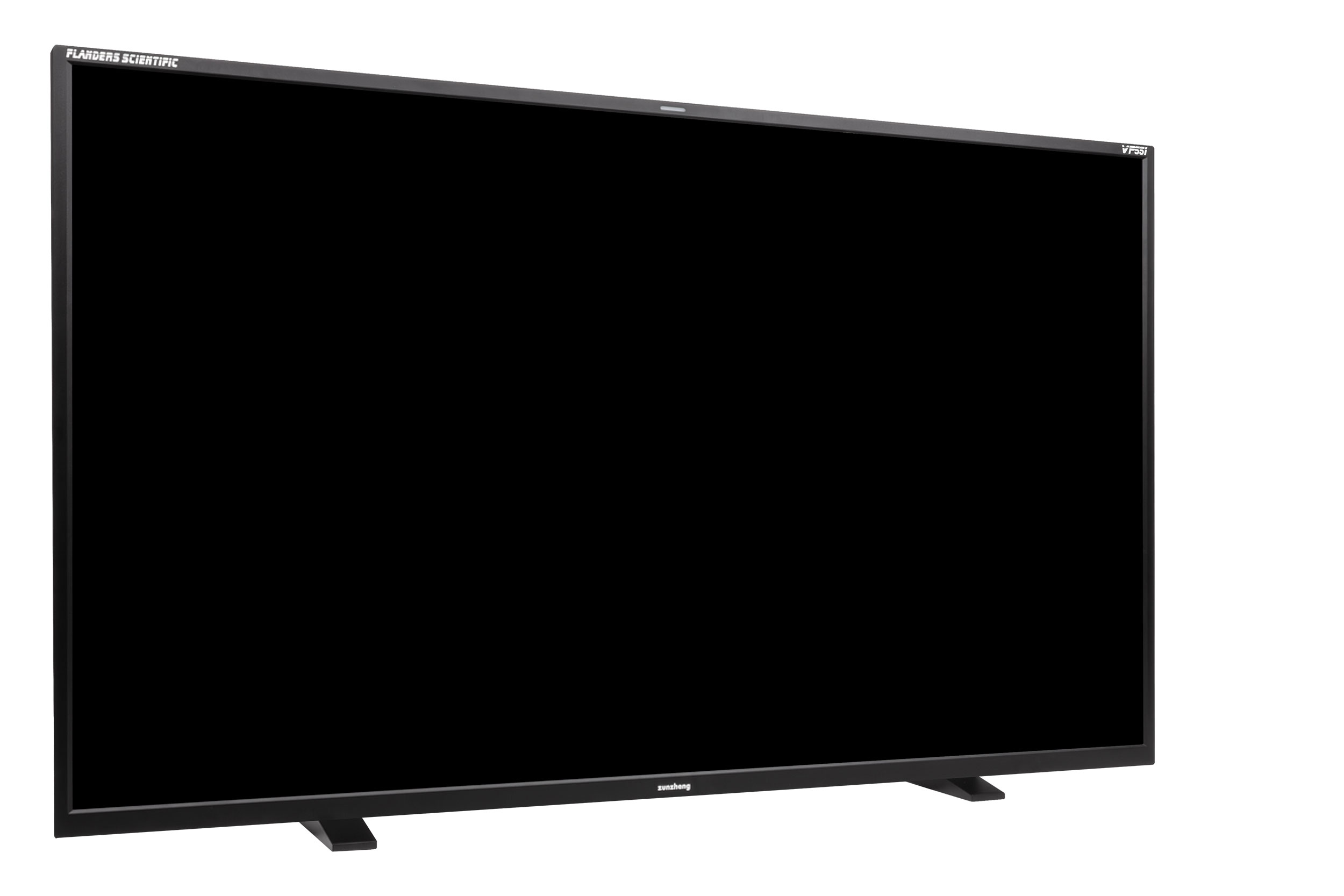
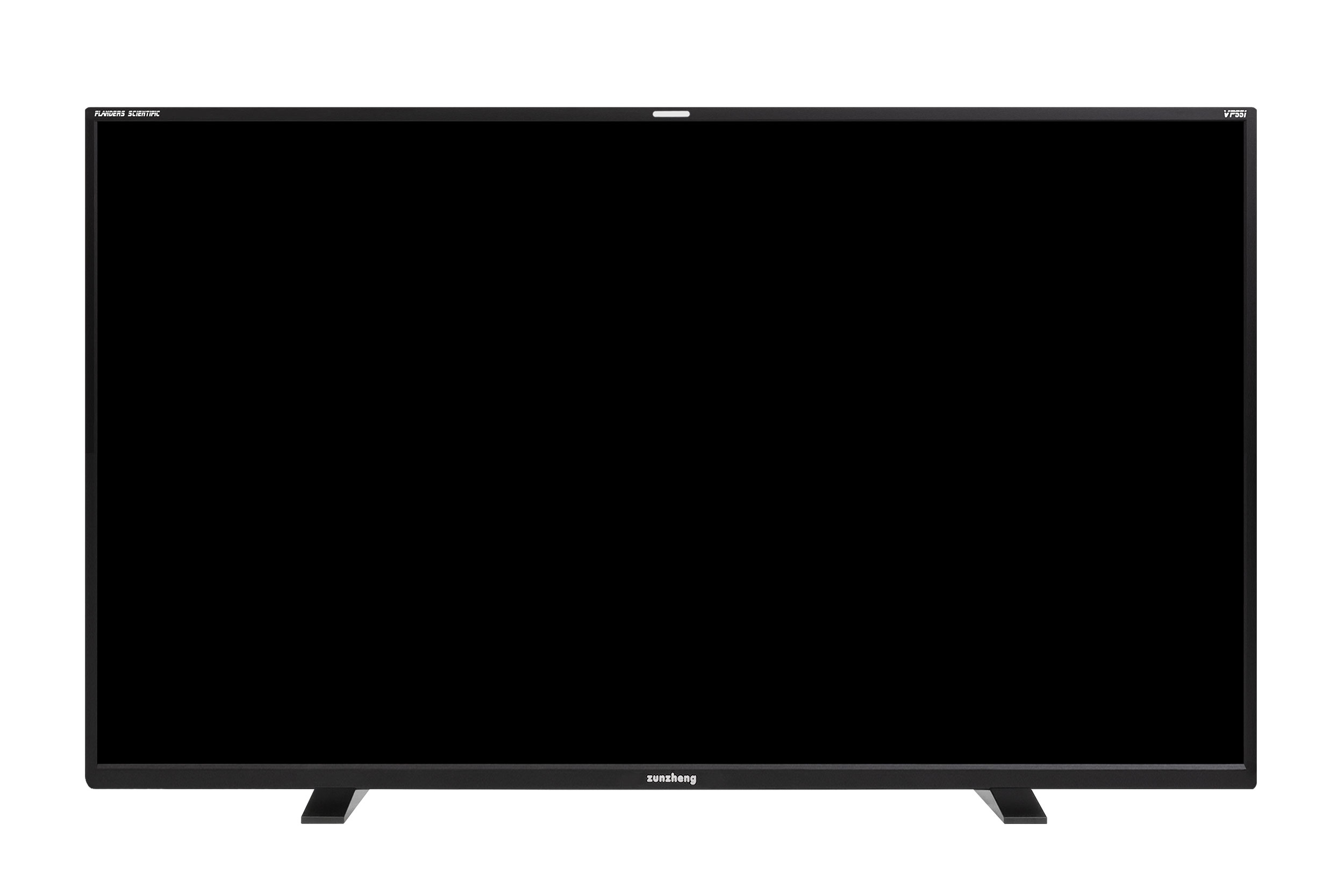
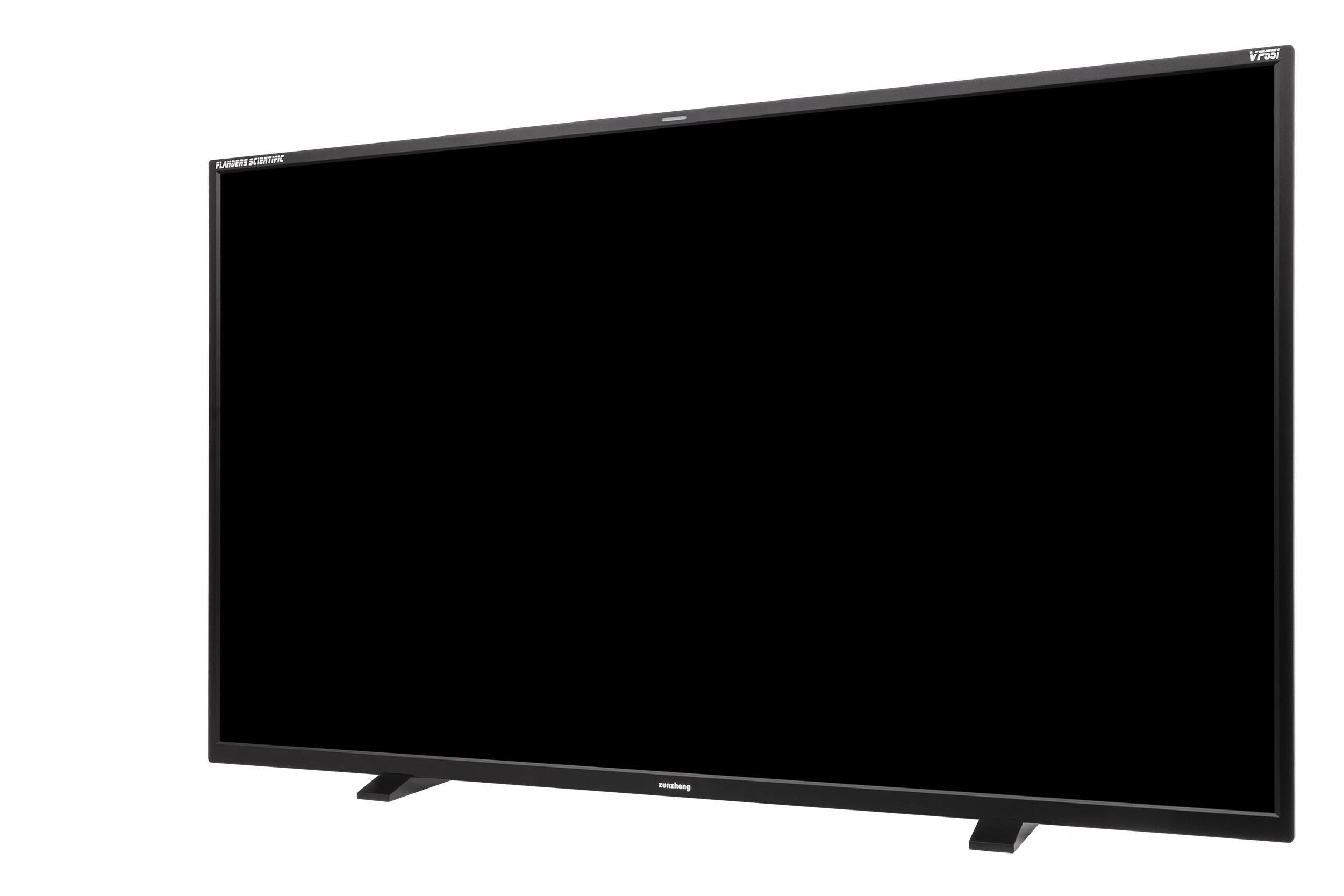
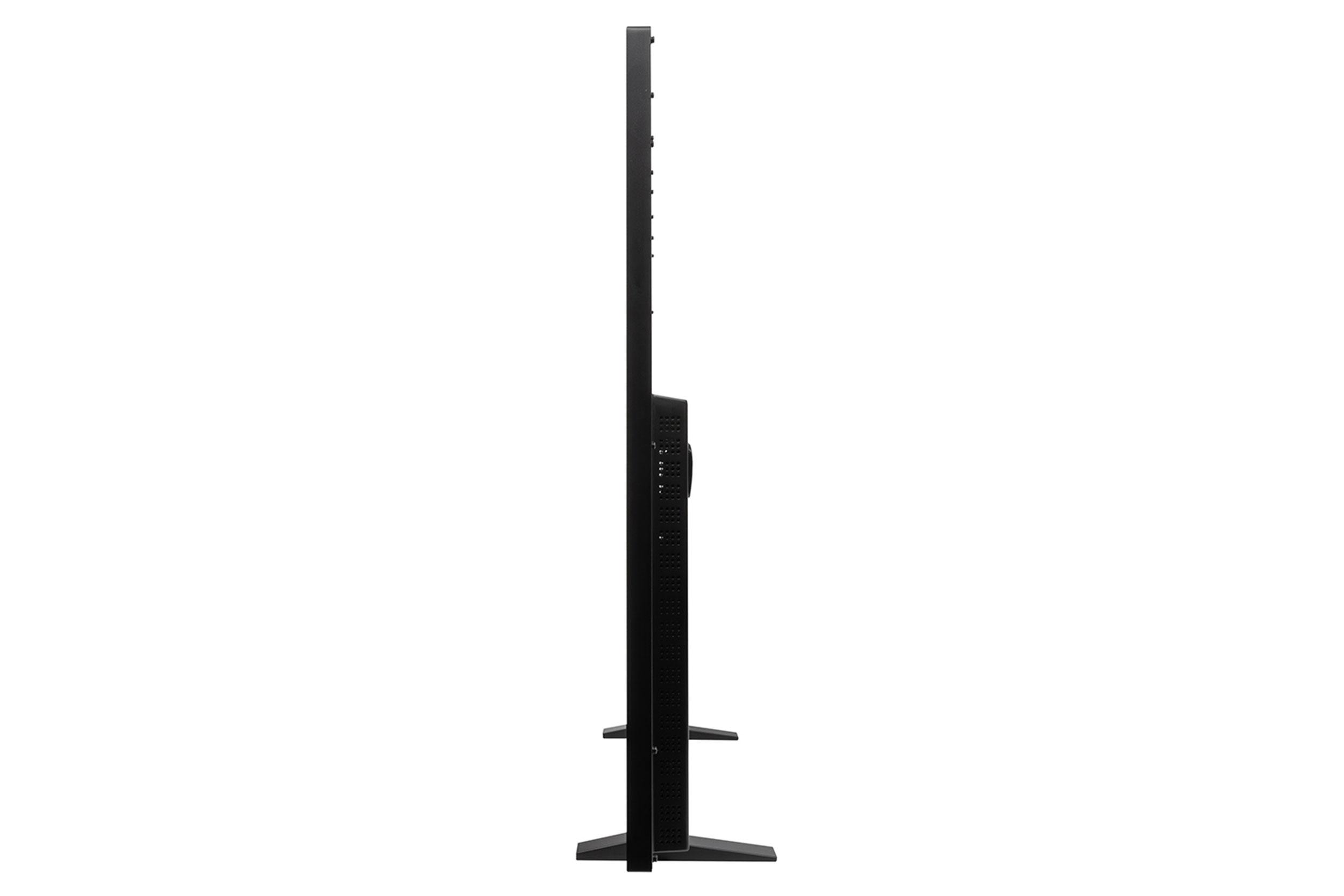
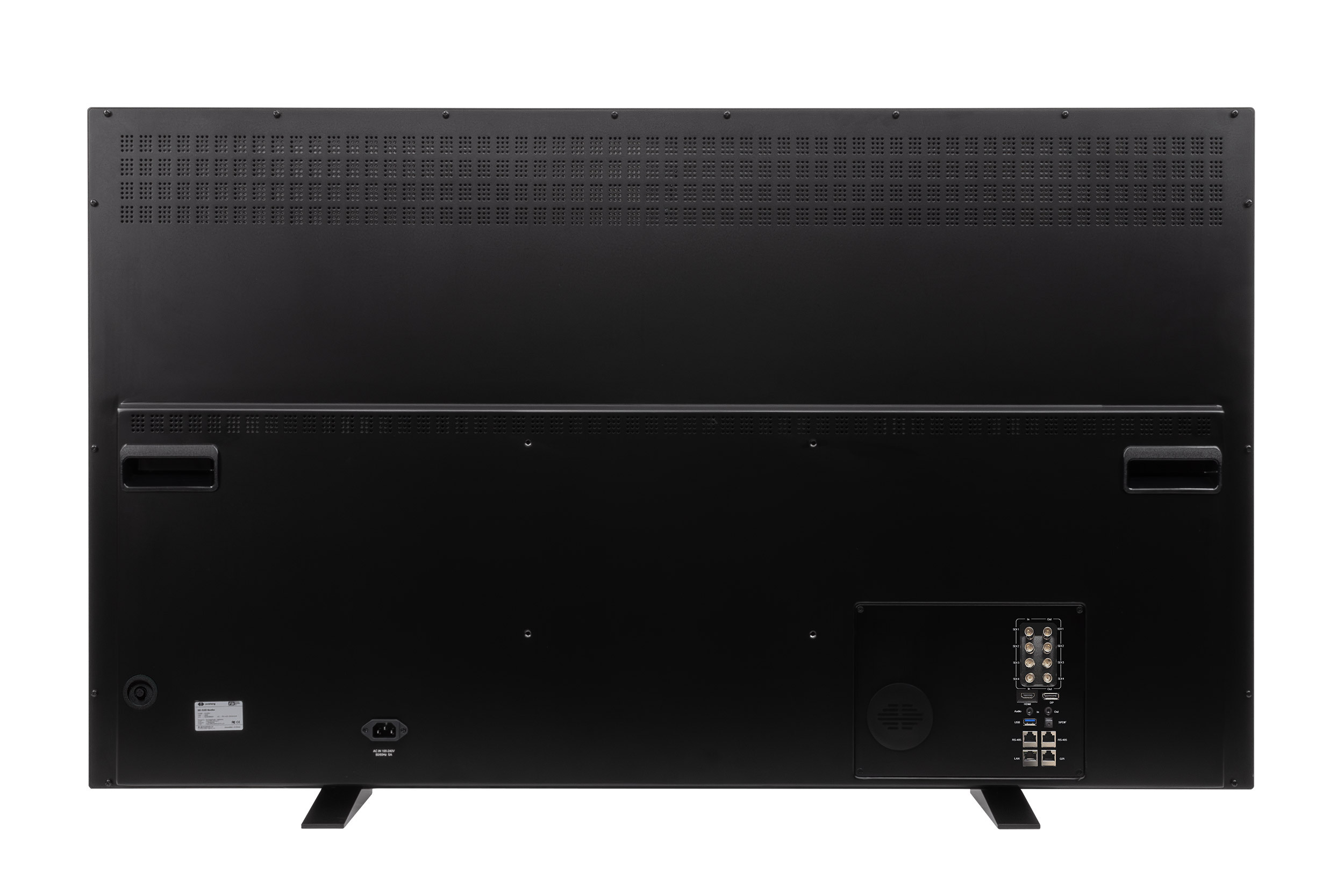
VP551
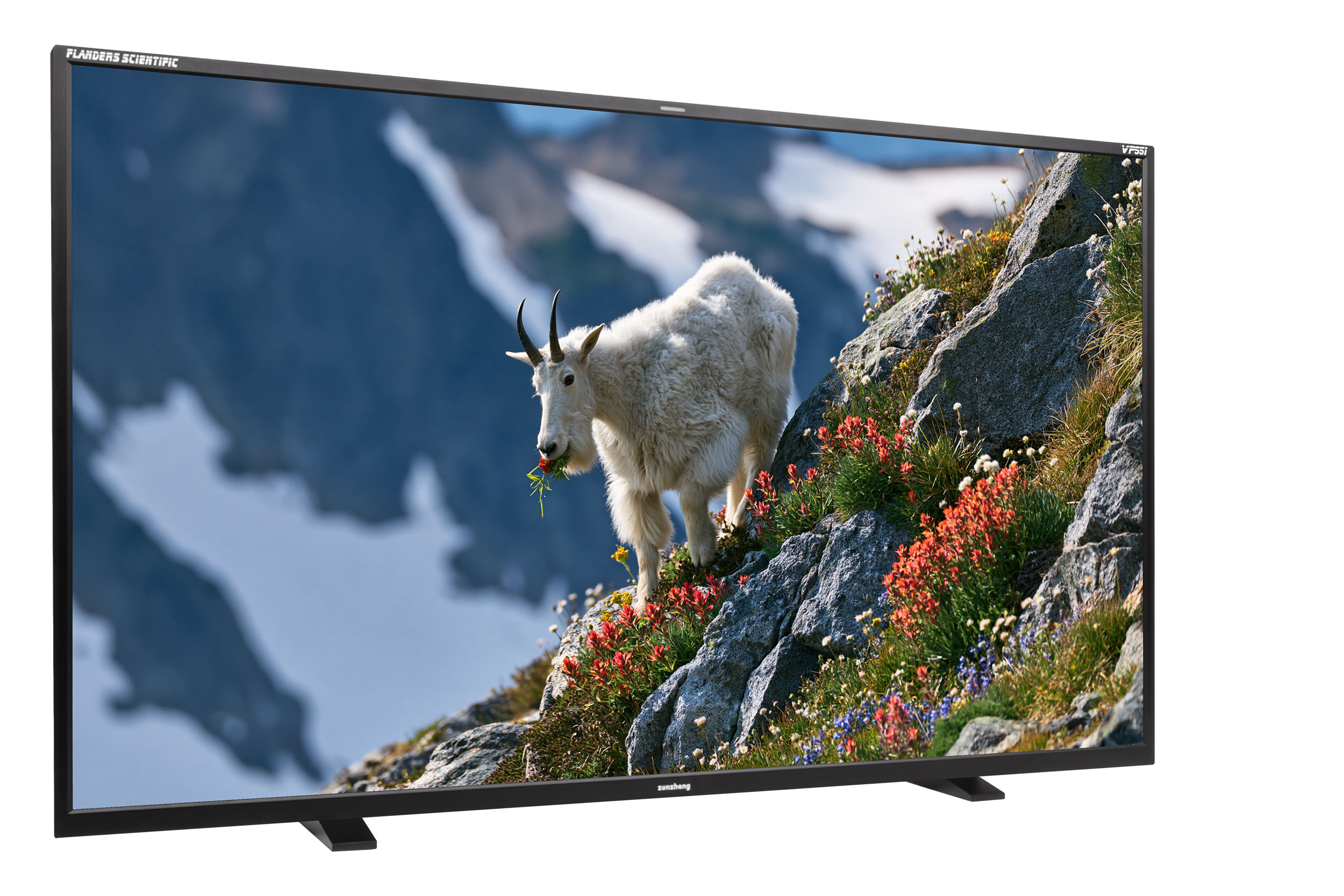
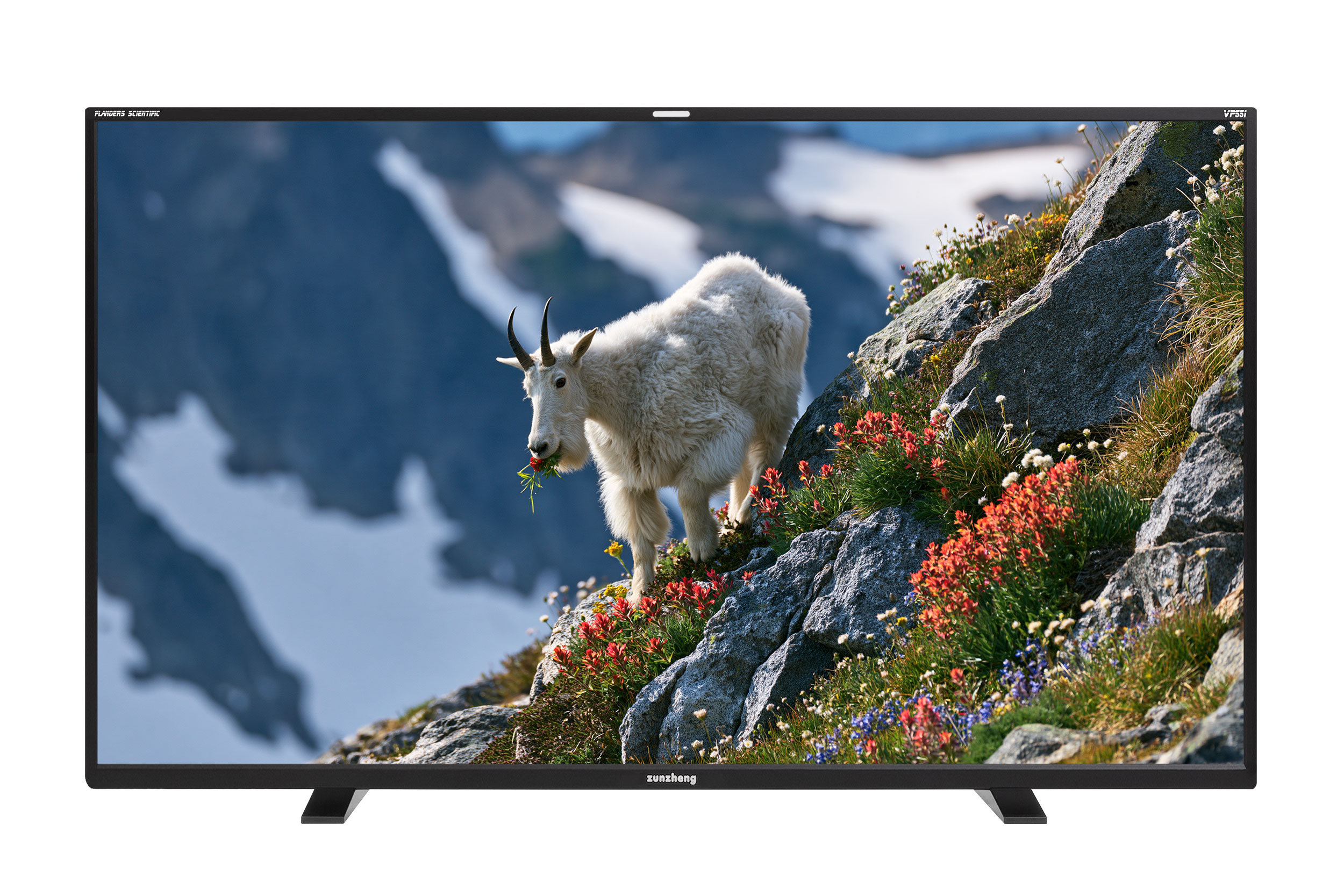
VP551Professional 55" QD-OLED Reference Monitor
The VP551 is a 4000nit capable 55" QD-OLED HDR reference monitor built around the same premium panel technology as our flagship XMP551. Featuring four 12G-SDI inputs with clean outputs, the VP551 is designed for professional video workflows that require robust SDI connectivity while offering a more accessible alternative to our XMP Series monitors.

While streamlined compared to the XMP Series, the VP551 retains the core FSI monitoring experience, including GaiaColor AutoCal and a wide range of professional tools, making it an ideal choice for production, post-production, broadcast, and other applications where waveform, vector scope, look LUTs, and LiveGrade integration are either not required or being managed by separate equipment.
HDR Compatibility Rating: Mastering
With an astonishing 4,000nits peak luminance capability and 8,000,000:1 contrast the VP551 qualifies as Dolby Vision Mastering monitoring. Delivering true reference grade performance and professional connectivity in a form factor large enough for both the colorist and clients to view, the VP551 opens up many exciting possibilities including the option to build single monitor viewing rooms instead of needing to rely on separate mastering and client monitors.
55" QD-OLED Offerings
| V550 | VP551 | XMP550C | XMP550 | XMP551 | |
|---|---|---|---|---|---|
| Peak Luminance | 2000nits | 4000nits | 2000nits | 2000nits | 4000nits |
| 4× 12G SDI Inputs | – | ✓ | ✓ | ✓ | ✓ |
| Quad View Mode | – | ✓ | ✓ | ✓ | ✓ |
| 4× 12G SDI Clean Loop Outputs | – | ✓ | ✓ | ✓ | ✓ |
| 4× 12G SDI Processed Outputs | – | – | – | ✓ | ✓ |
| HDMI 2.1 Input | ✓ | ✓ | – | – | – |
| DisplayPort 1.4 Input | ✓ | ✓ | ✓ | ✓ | ✓ |
| Front Keypad & Rotary Knobs | – | – | – | ✓ | ✓ |
| Stereoscopic 3D Support(3D glasses sold separately) | ✓ | ✓ | – | – | – |
| Standard Features | ✓ | ✓ | ✓ | ✓ | ✓ |
| Advanced Features | – | – | ✓ | ✓ | ✓ |
| Price | $12,495See More | $15,995See More | $17,495See More | $19,995See More | $20,995See More |
- Peak Luminance2000nits
- –4× 12G SDI Inputs
- –Quad View Mode
- –4× 12G SDI Clean Loop Outputs
- –4× 12G SDI Processed Outputs
- ✓HDMI 2.1 Input
- ✓DisplayPort 1.4 Input
- –Front Keypad & Rotary Knobs
- ✓Stereoscopic 3D Support(3D glasses sold separately)
- ✓Standard Features
- –Advanced Features
- Peak Luminance4000nits
- ✓4× 12G SDI Inputs
- ✓Quad View Mode
- ✓4× 12G SDI Clean Loop Outputs
- –4× 12G SDI Processed Outputs
- ✓HDMI 2.1 Input
- ✓DisplayPort 1.4 Input
- –Front Keypad & Rotary Knobs
- ✓Stereoscopic 3D Support(3D glasses sold separately)
- ✓Standard Features
- –Advanced Features
- Peak Luminance2000nits
- ✓4× 12G SDI Inputs
- ✓Quad View Mode
- ✓4× 12G SDI Clean Loop Outputs
- –4× 12G SDI Processed Outputs
- –HDMI 2.1 Input
- ✓DisplayPort 1.4 Input
- –Front Keypad & Rotary Knobs
- –Stereoscopic 3D Support
- ✓Standard Features
- ✓Advanced Features
- Peak Luminance2000nits
- ✓4× 12G SDI Inputs
- ✓Quad View Mode
- ✓4× 12G SDI Clean Loop Outputs
- ✓4× 12G SDI Processed Outputs
- –HDMI 2.1 Input
- ✓DisplayPort 1.4 Input
- ✓Front Keypad & Rotary Knobs
- –Stereoscopic 3D Support
- ✓Standard Features
- ✓Advanced Features
- Peak Luminance4000nits
- ✓4× 12G SDI Inputs
- ✓Quad View Mode
- ✓4× 12G SDI Clean Loop Outputs
- ✓4× 12G SDI Processed Outputs
- –HDMI 2.1 Input
- ✓DisplayPort 1.4 Input
- ✓Front Keypad & Rotary Knobs
- –Stereoscopic 3D Support
- ✓Standard Features
- ✓Advanced Features
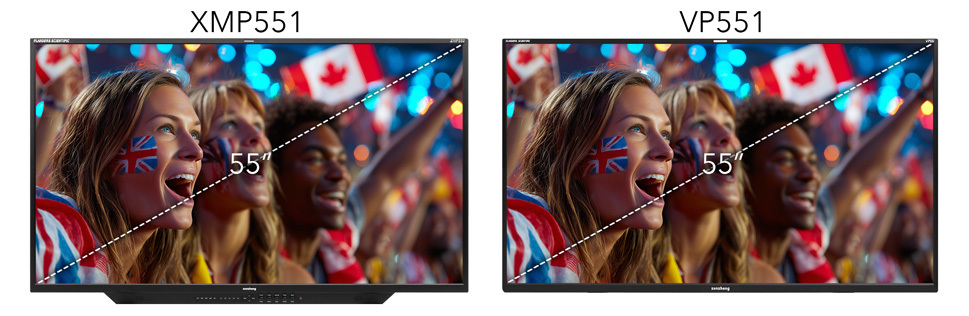
VP series monitors feature a simplified 5-way controller on back of monitor instead of front facing keypad.
Traditionally, achieving display consistency between 55-inch displays and smaller format screens has been a daunting challenge due to the historical use of different display technologies at these sizes. However, XMP, XMP C, VP, and V series monitors overcome this challenge with a shared use of the same cutting-edge QD-OLED panel technology being driven by the same advanced color management system. This helps to ensure exceptional interoperability within and across various monitoring environments.

Color Management with GaiaColor AutoCal
All FSI monitors come pre-calibrated from the factory. The VP551 also features highly accurate volumetric Auto Calibration, making it incredibly easy for operators to recalibrate the display over time. Simply plug a supported probe directly into the monitor and the advanced GaiaColor AutoCal routine will profile the monitor for all color space selections in one simple, unified calibration process—all without requiring a computer. AutoCal works by profiling the monitor's native, uncalibrated state and storing this data in non-volatile memory. When a color management selection is made, the monitor calculates and instantly applies a calibrated state based on that stored profile. Since all selections are derived from a single primary profile capture, operators can switch between selections without needing to rerun AutoCal, ensuring a fast, accurate, and efficient workflow.
How well does it work?
See sample XMP Series AutoCal results here. (.PDF)
Third Party Calibration
The VP551 is also compatible with popular 3rd party calibration solutions including Calman and ColourSpace. Quickly and easily perform your own custom 3D+1D LUT based calibration with any program capable of saving into FSI's calibration LUT formats.


Tetrahedral LUT Interpolation
The VP551 utilizes advanced tetrahedral LUT interpolation delivering a higher degree of precision with better on screen performance than simple trilinear LUT interpolation.
Trilinear Interpolation

Tetrahedral Interpolation

QC Reporting - Built Right in with GaiaColor Analyzer
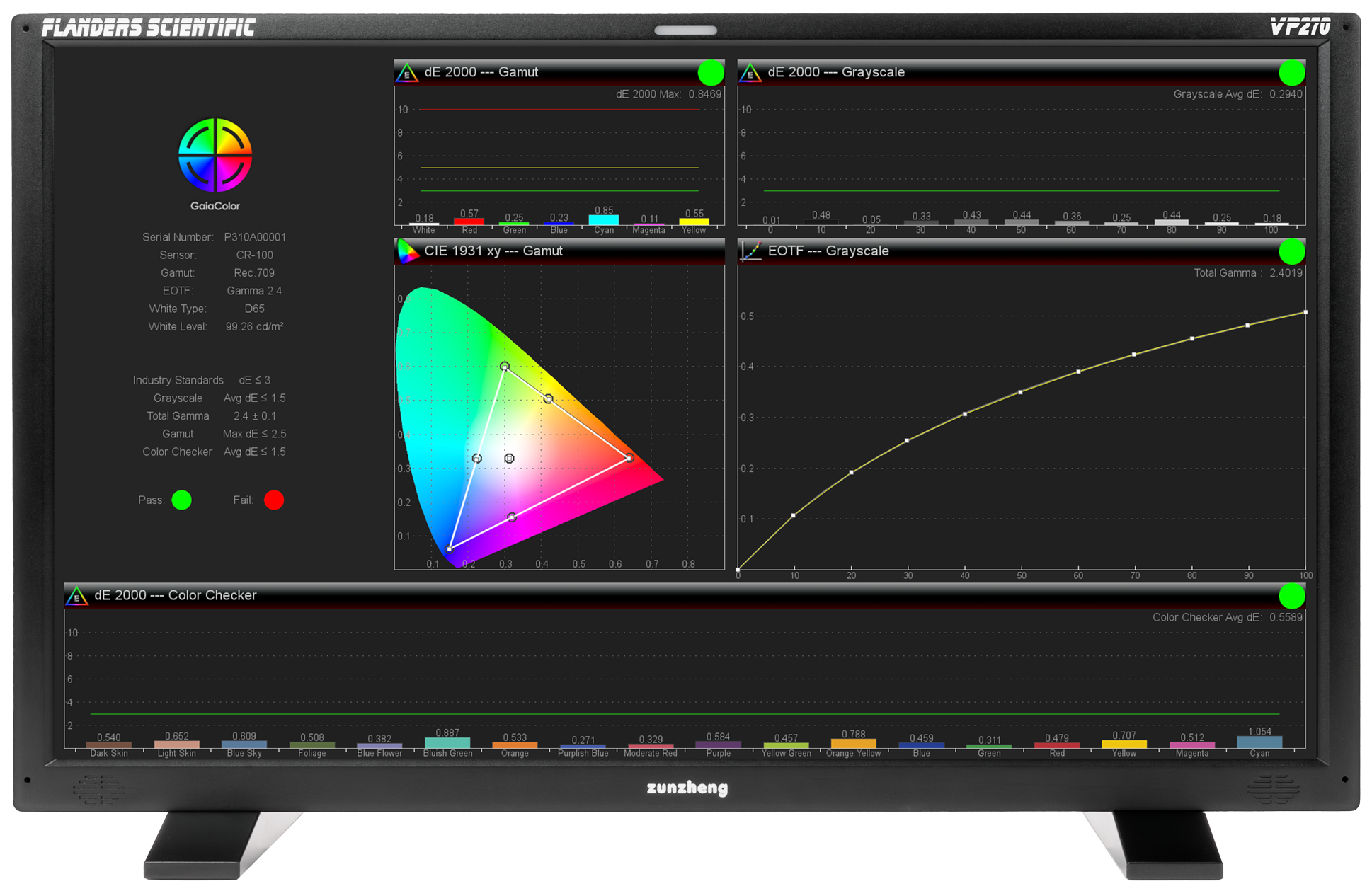
GaiaColor Analyzer is a fast, powerful calibration QC tool built into every VP series monitor. Simply plug in a compatible probe, launch the analyzer, and in as little as 60 seconds you'll have a full QC report displayed directly on screen — no software, no computer, no hassle.
GaiaColor Analyzer automatically checks calibration against your current monitor configuration, meaning you can run accurate QC reports across thousands of potential configurations without any additional setup steps. The two most recent reports are automatically saved to monitor memory, so you can pull them up at any time. Moreover, if you'd like to export the report to a computer the free IP Remote Utility application lets you retrieve any saved report from monitor memory and export it as a PDF in seconds.
GaiaColor Analyzer is the perfect companion to GaiaColor AutoCal allowing you to confirm that your calibration results are on target, track performance over time, and know exactly when it's time to run a new AutoCal.
The QD-OLED Advantage
This is OLED without compromise.
XMP, XMP C, V, and V Series monitors are uniquely qualified for use as HDR Program Mastering Monitors, learn why in our Technical Overview PDF.
Advantages Over Other OLED Technologies
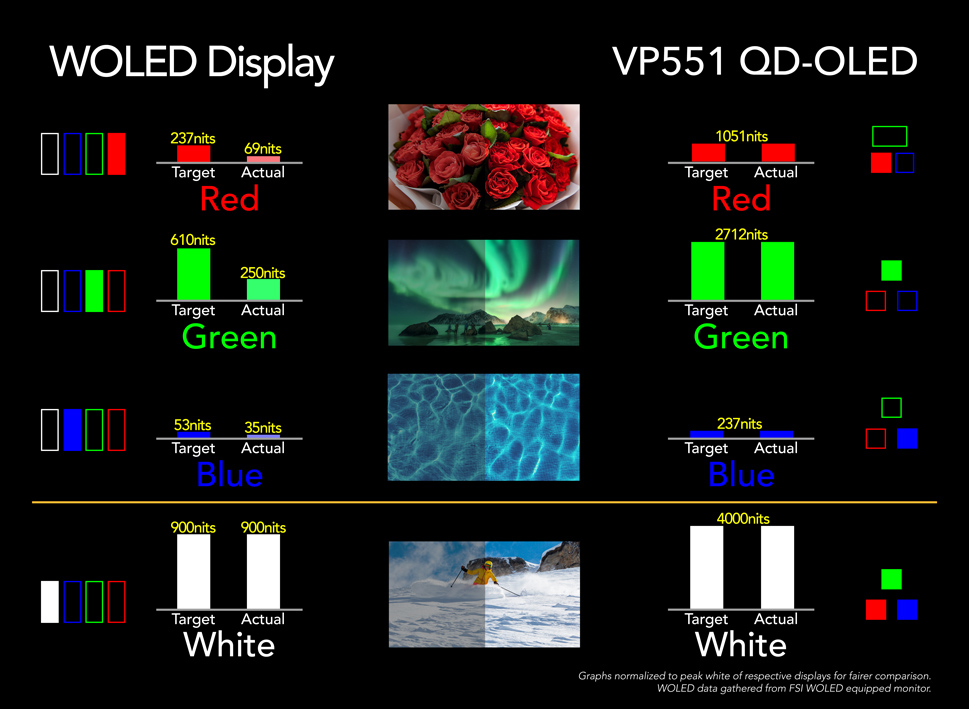
Other available OLED technologies are either too dim for HDR mastering or suffer from very significant volumetric collapse due to their non-additive RGB+W sub pixel structures making them unsuitable for HDR use cases that demand color accuracy. QD-OLED is truly RGB additive for white, thus avoiding color volume limitations.

Exceptional Off-Axis Viewing
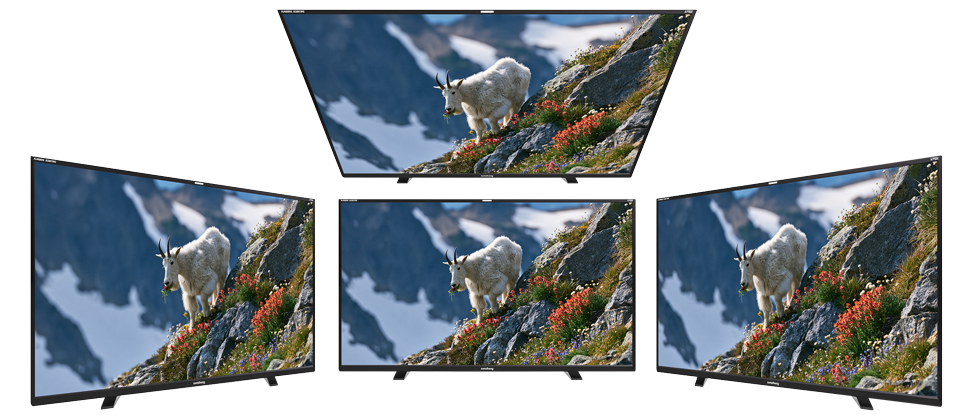
XMP, XMP C, VP, and V Series monitors have the widest viewing angle, with the least off-axis contrast and color shift, ever featured in FSI displays. The flexibility to view these displays accurately from a wide variety of positions allows for less crowded and more comfortable viewing for clients and operators alike.
Advantages over FALD LCD
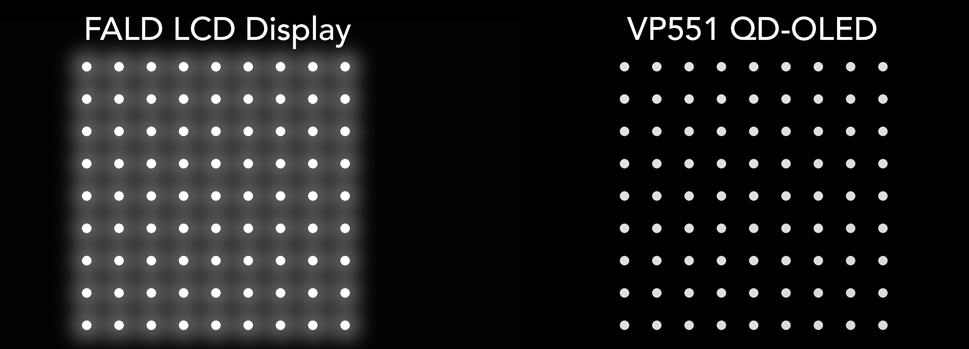
The VP551's accurate per pixel level luminance control means true black levels at all times with none of the small bright object or motion artifact limitations found on FALD (Full Array Local Dimming) LCDs. The per pixel emissive design of the VP551's QD-OLED panel guarantees exceptional simultaneous contrast with all varieties of content.
With the VP551 you can rest assured that compared to FALD LCDs:
- Highlight detail will not be obscured due to backlight zone flaring.
- Shadow detail and black levels will not be compromised by halation.
- There will be no color shift or artificial flicker with fast moving bright objects.
- No scene cut anomalies as can be found on some FALD that exhibit differential rise/fall times of LED backlight phosphors.
While the amount of halation can vary greatly between FALD LCDs, all FALD systems will show at least some degree of raised black levels and haloing when rendering a high contrast image like this example of a white circles on a black background graphic. The VP551's QD-OLED panel on the other hand can render these types of very bright white highlights while maintaining the intended deep black background.
Power Efficiency
The VP551 is very power efficient compared to most other reference grade HDR display solutions. Display technologies like LMCL (Light Modulating Cell Layer) LCDs are highly inefficient as they not only need to pass light through two separate TFT layers, but also because their backlights always remain fully engaged drawing the same high amount of power whether displaying very dark or very bright images. When compared with bottom emission OLED technologies the efficiency of the VP551's top emission display structure means less power is required to attain the same luminance levels.
Advantages over Global Dimming LCDs
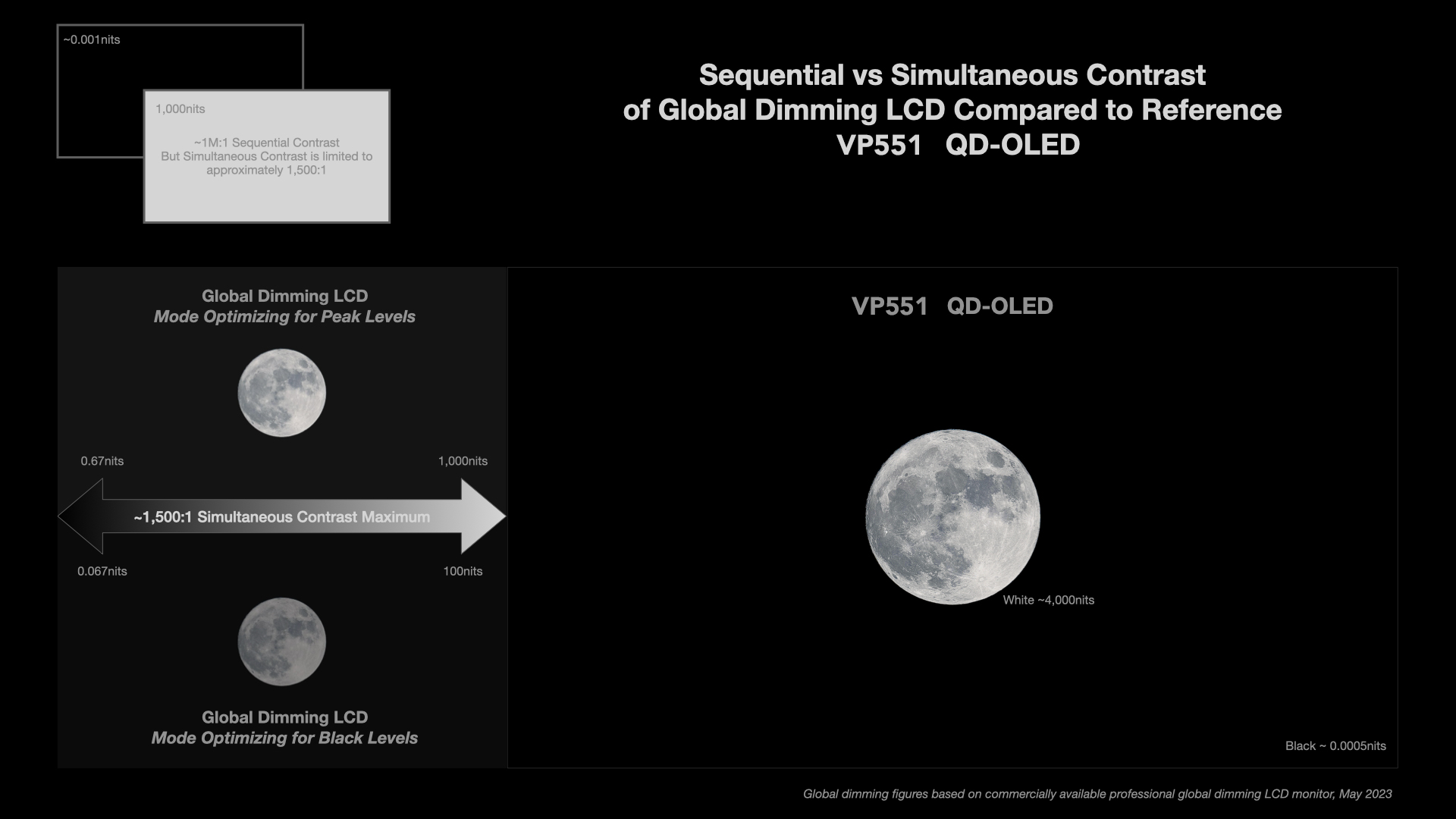
Reference grade HDR displays should be able to produce high simultaneous contrast, not just a bright image. Global dimming LCDs can either produce a bright image or a dark image, but cannot produce images that simultaneously have bright highlights and dark lowlights. Global dimming LCD specifications often quote high sequential contrast ratio figures, where a display's peak luminance and black level are measured at different times, but this can be quite misleading as simultaneous contrast is problematically low on these devices for any HDR content mastering use-cases. The VP551 features class leading simultaneous contrast rendering both bright highlights and dark lowlights with incredible clarity and accuracy at the same time.
Quiet Fanless Design
The VP551 utilizes a combination of a graphite heat sink and all aluminum chassis to efficiently dissipate heat without relying on fans. Many consumer devices use a plastic chassis, which can act as an insulator trapping heat and impacting panel performance. An aluminum chassis not only provides increased strength and durability in professional installs, it also helps efficiently conduct heat away from the panel.
This fanless design provides users with both a quieter and lower maintenance HDR grading display.

Professional Connectivity
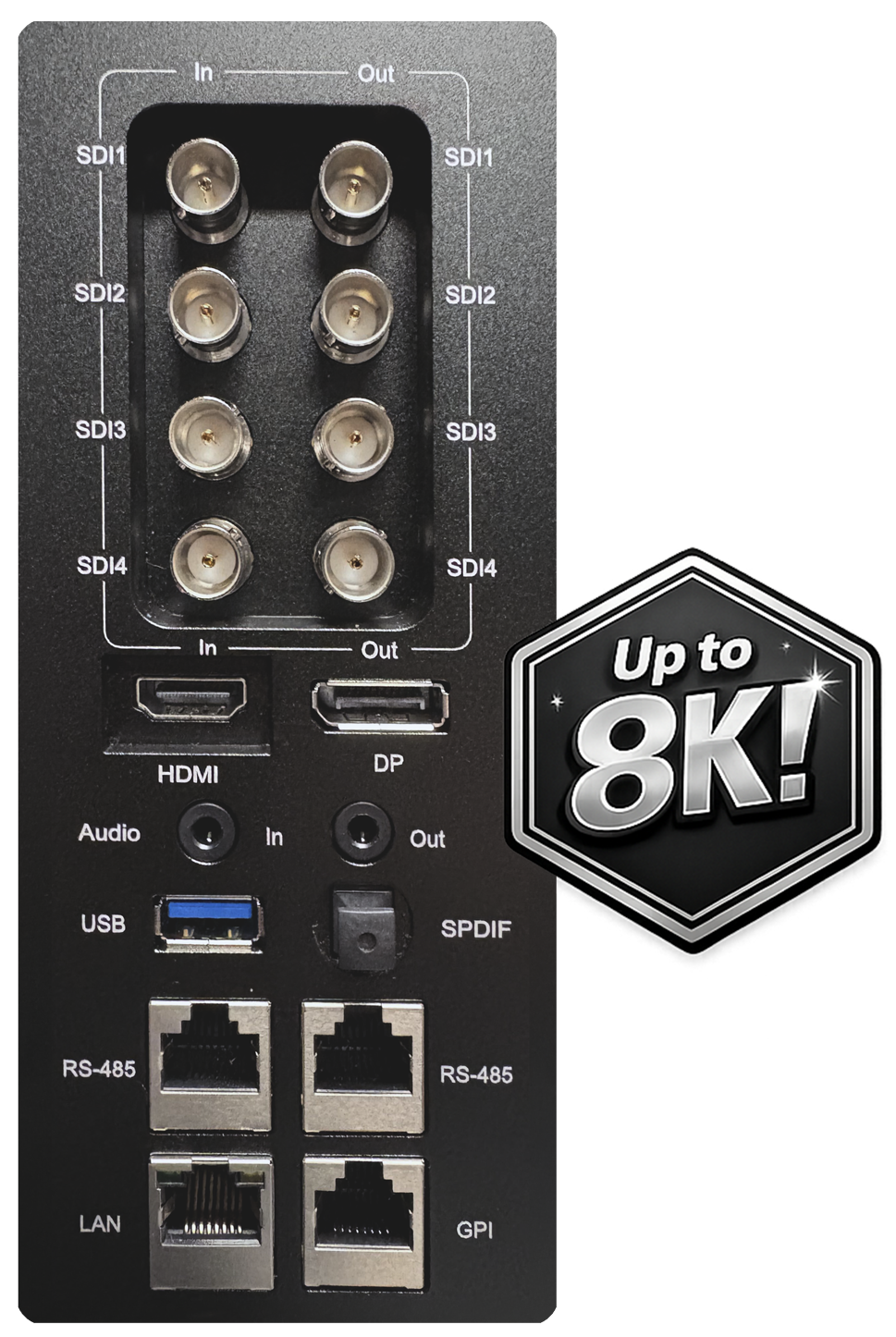
12Gbps SDI connections greatly simplify room design by allowing you to feed 4K and UHD signals to the display over a single cable. Quad 1.5Gbps and 3Gbps SDI connectivity are also supported ensuring compatibility with practically any type of 4K or UHD output.
The VP551 also supports up to 8K UHD and 8K DCI signals at 12bit 4:4:4 over quad 12G or 6G connections, setting it meaningfully apart from less advanced monitoring solutions.
VP series monitors feature 4 clean loop-throughs with each input having its own dedicated clean loop.
The VP551 is also equipped with DisplayPort 1.4 and HDMI 2.1 inputs with up to 120Hz signal support.
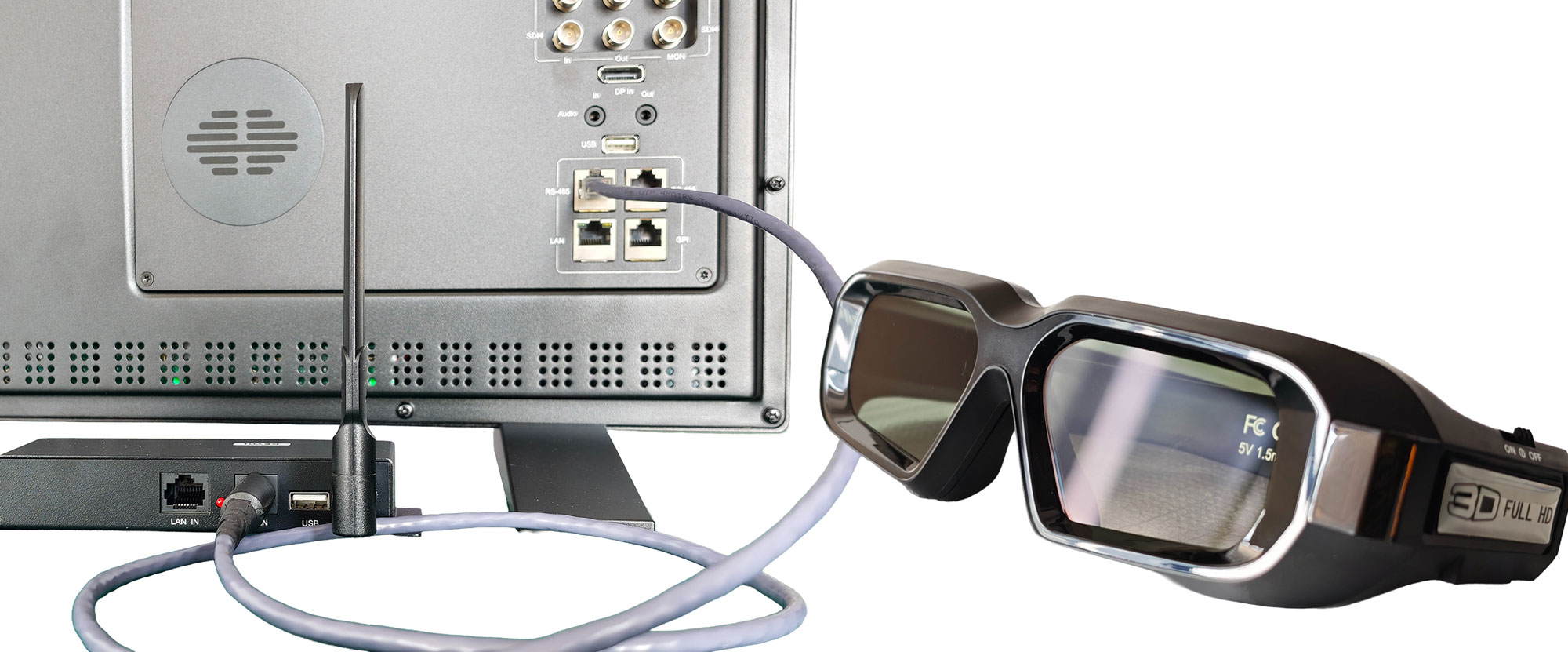
Additionally, the VP551 can support stereoscopic 3D over both HDMI and dual-link SDI when paired with optional active 3D glasses
The VP551 features audio output via a 3.5mm headphone jack and an optical S/PDIF port.
Advanced Signal Status Detection
VP series monitors automatically read payload ID (VPID) information embedded in SDI signals and configure the monitor's SDI Format mode for proper support of 4:4:4 or 4:2:2, 10 or 12bit, and RGB or YCbCr signals. This information can also be temporarily displayed whenever a format change is detected so that you can be sure that what you intend to output to the monitor is what the monitor receives.
A VPID override toggle is also provided allowing users to manually configure the monitor in instances where the payload ID may be missing or incorrect.

Quad View Mode
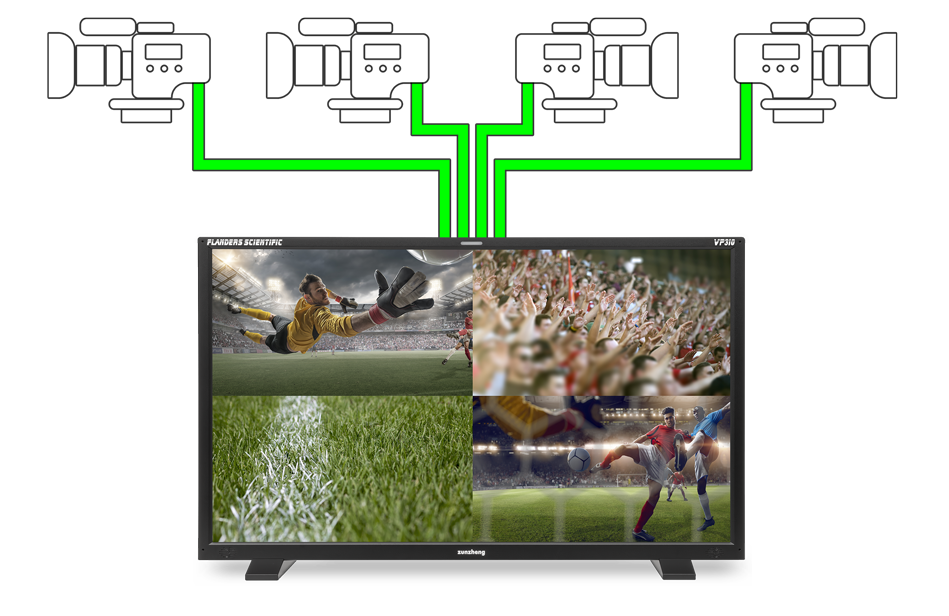
Ideal for multi-camera setups, VP series monitors let you display up to 4 signals on-screen simultaneously. With a single button press, you can toggle Quad View Mode on or off, making it easy to view 2, 3, or 4 inputs at once or to switch back to any single input full screen.
Best of all, Quad View mode no longer requires gen-lock synchronization. Simply connect sources of the same frame rate, and the monitor handles the rest.
Independent Color Space Configuration per Input
Each input can optionally be configured with completely independent color space parameters and these can all be viewed on screen at the same time. Select different gamuts, EOTFs, white points, and luminance parameters for the ultimate level of per input configuration flexibility. Prefer to keep things simple with a single global setting for all inputs? No problem, the monitor allows you to use it that way as well.
Remote Control
A variety of remote control options are available to suit different workflows and installation requirements.
Ethernet-Based Control (Free IP Remote Utility)
The free IP Remote Utility provides Ethernet-based remote control of Flanders Scientific monitors from a Mac or Windows PC. An iOS version is also available.
Remotely navigate menus, switch inputs, toggle functions, and control monitor settings.

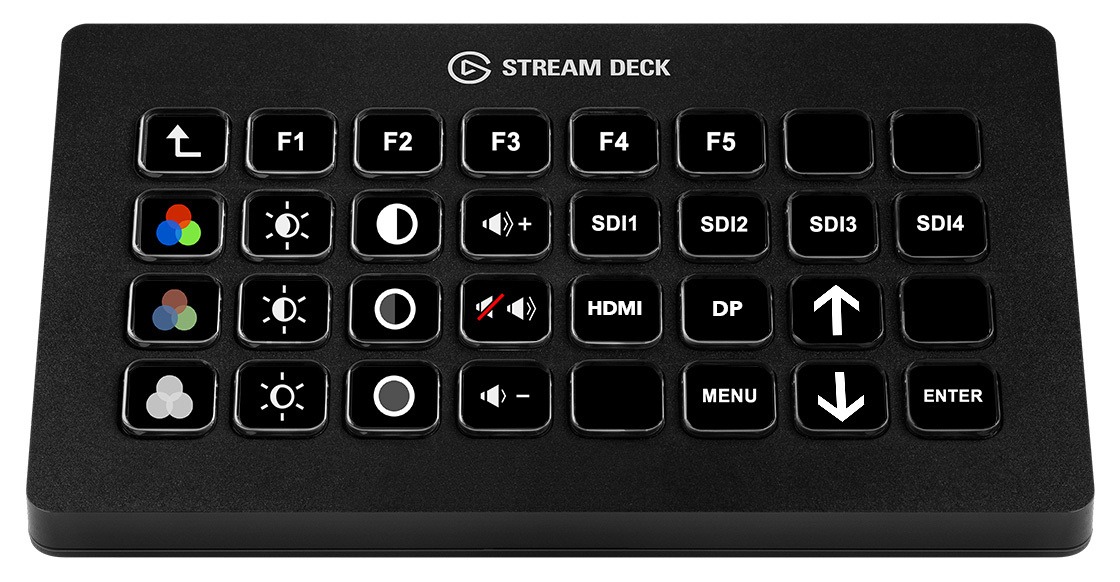
The utility can also be easily configured for use with an Elgato Stream Deck to trigger shortcuts.
Serial Remote Control (RS-485)
Ideal for broadcast facilities, post-production environments, and other professional installations. Our published RS-485 protocol enables straightforward integration with third-party serial control systems, providing access to menu navigation, input selection, function button activation, and monitor power on/off.

Optional Wireless Remote Control
The optional R-RS wireless remote control system provides convenient RF-based control of your monitor. The R-RS receiver module connects directly to the monitor's RS-485 control port, enabling full wireless operation with the paired handheld remote.

Supported functions include menu navigation, function button activation, input switching, and power on/off.
GPI Contact Closure
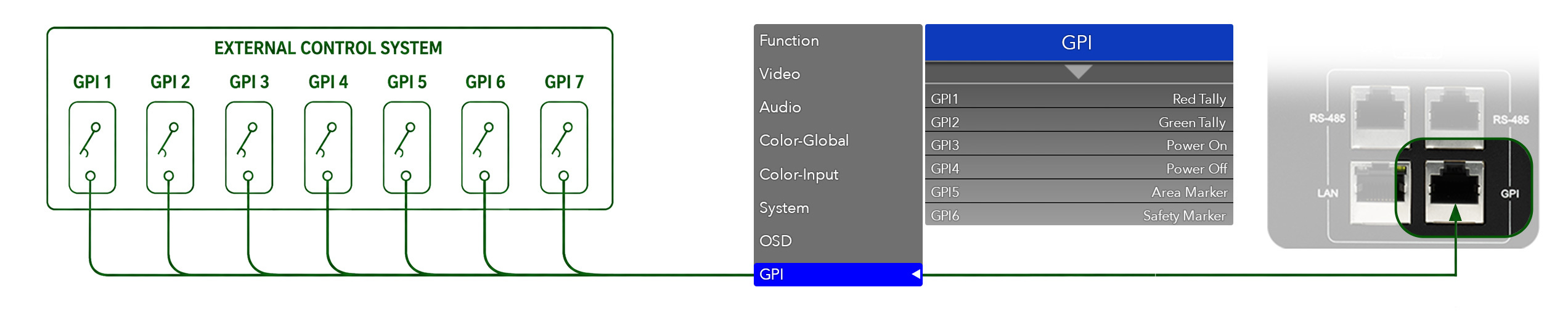
Configure up to seven assignable functions for GPI contact closure control through the monitor's GPI menu.
Available functions include power on/off, tally light activation, and other user-selectable monitor controls.
Quick Access Configurations
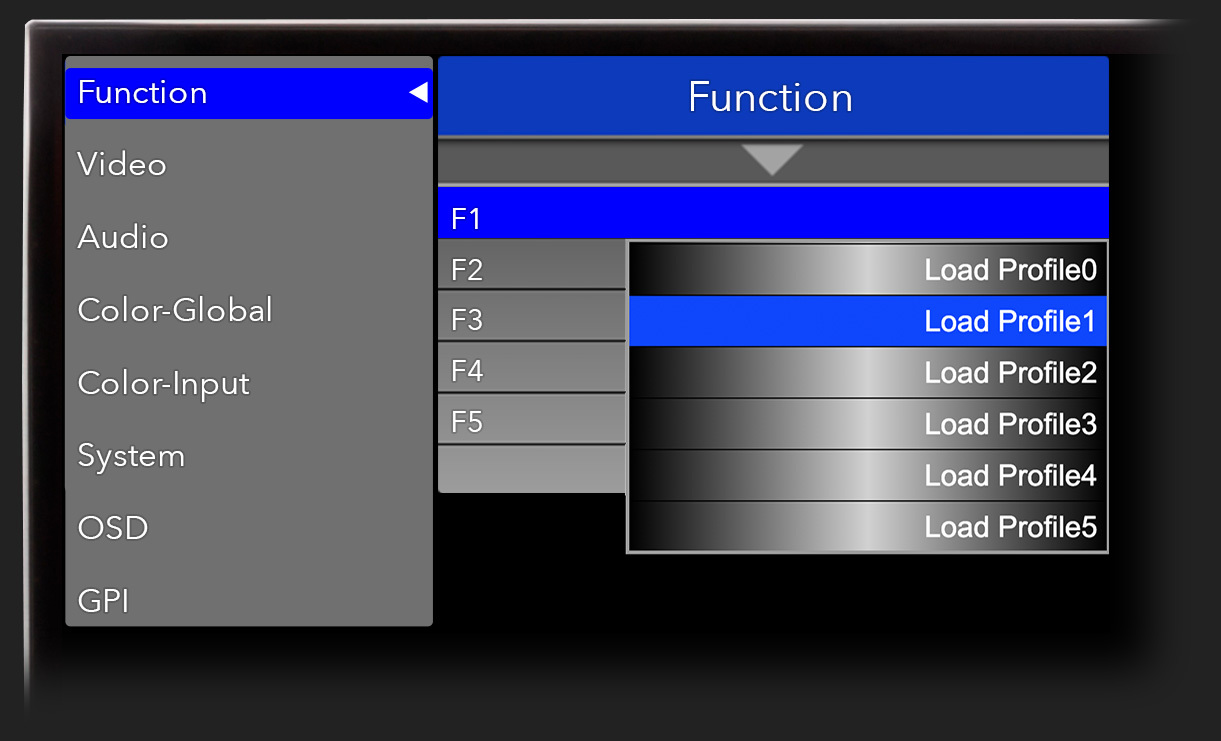
Quickly and easily save up to 5 custom configurations and switch between them with a single button press.
LUM Coloring (Customizable Exposure Check)
4 adjustment points from 0-100 percent allow you to establish specific target areas to be shown in false color or greyscale.


PQ based LUM Coloring False Color Mode for HDR
When the monitor is set to PQ EOTF the LUM Coloring False Color mode will automatically switch to a customizable PQ Nits based scale instead of percentage.


Blue Only, Red Only, Green Only, and Monochrome Modes
Blue Only, Blue Only Mono, Red Only, Red Only Mono, Green Only, Green Only Mono, and standard Monochrome monitoring modes are invaluable for QC and engineering tasks.

Markers
Choose from a wide assortment of standard area and safety markers, and optionally combine them with a center marker as well.
 1:1
 1.85:1
 2.4:1
 2.35:1
 2.39:1
 2:1
 3.125:1
 4:3
 4x3 CC
 6.25:1
 9:16
 13:9
 14:9
 14:9 CS
 15:9
 16:9
 16:9 in 4:3
 17:9
 32:9
 ADOBE
 DISCOVERY
 DISCOVERY V2
 DISCOVERY V3
 DISCOVERY V5
 4x3 DPP
 16x9 DPP
 HISTORY
 LIFETIME
 NATGEO
 NBC 2016
 OUTDOOR
 OXYGEN
 SYMMETRY GRID
 TELE QUEBEC
 TRAVEL
 TWC 2013
 TWC 2014
 TWC 2015
 TWC SAFETY
 VFRAME L
 VFRAME R
 WEATHER
 WS


Custom Markers
The VP551 also supports upload of custom markers allowing for unparalleled flexibility in generating frame lines, overlays, and even complex elements like vignettes. Any 1920x1080 resolution PNG is supported giving you the freedom and power to use custom colors, opacity levels, and more. Give your markers custom names and save them to the display quickly and easily from the free IP Remote Utility application.
Native UHD Resolution
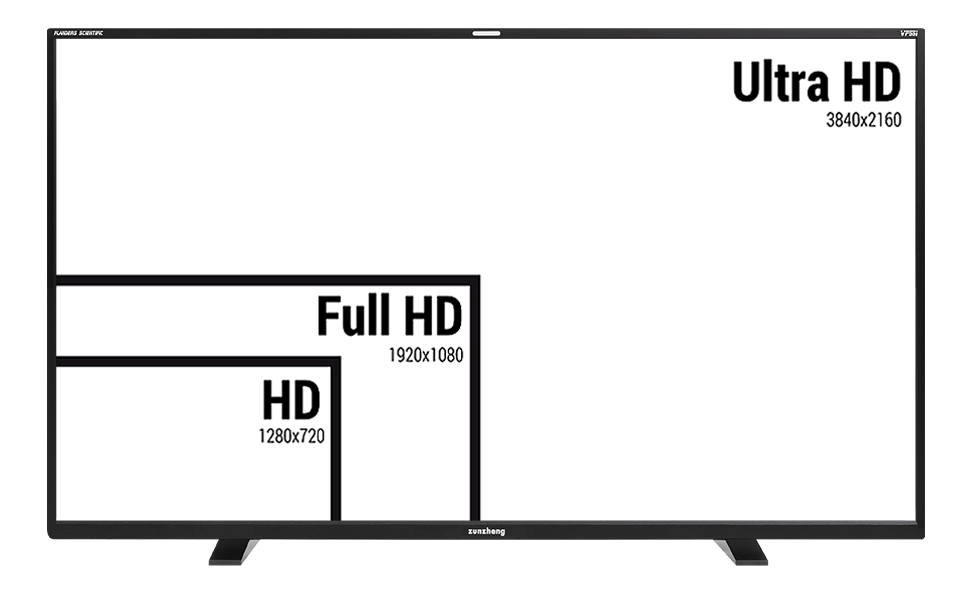
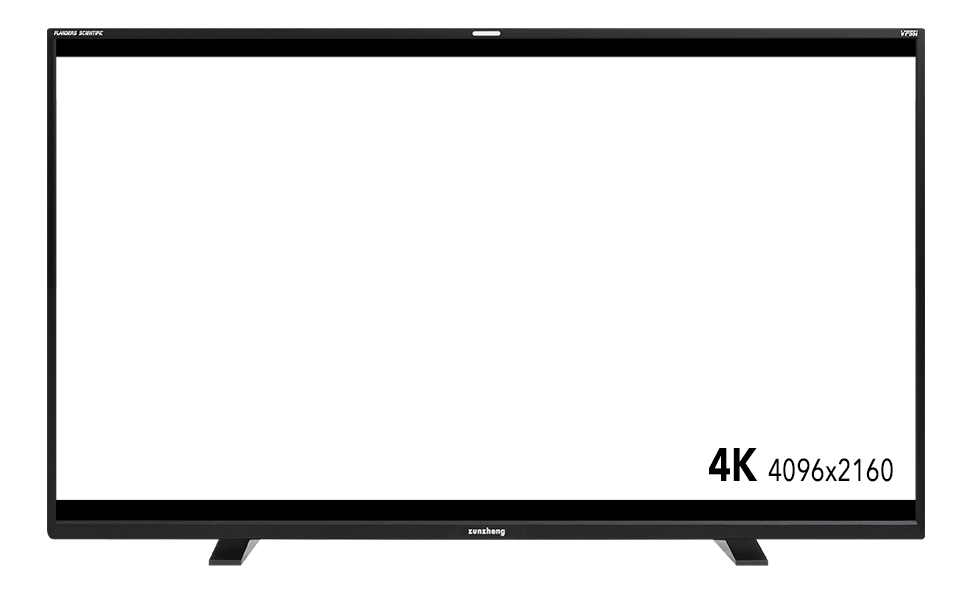
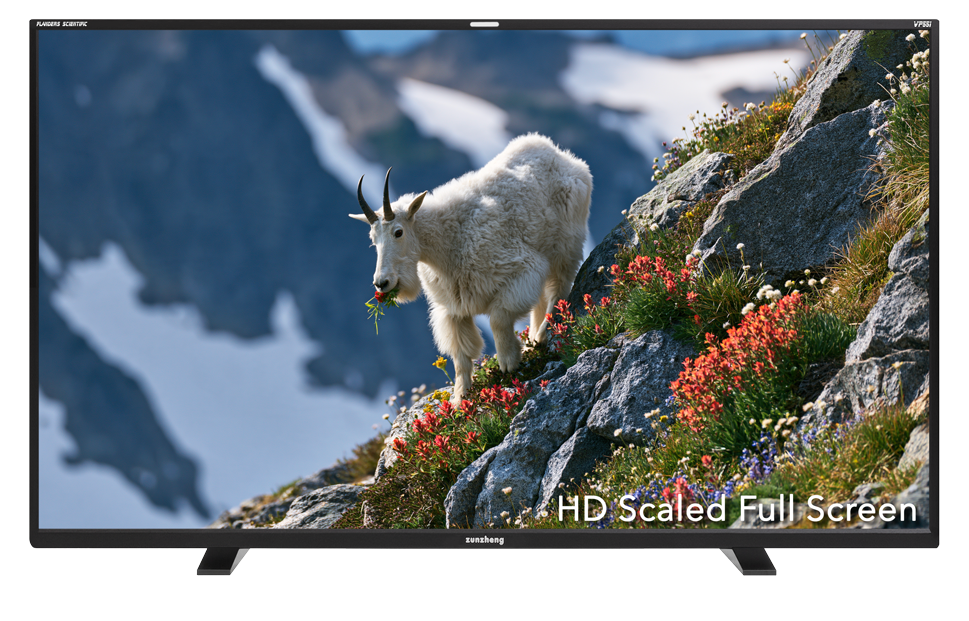
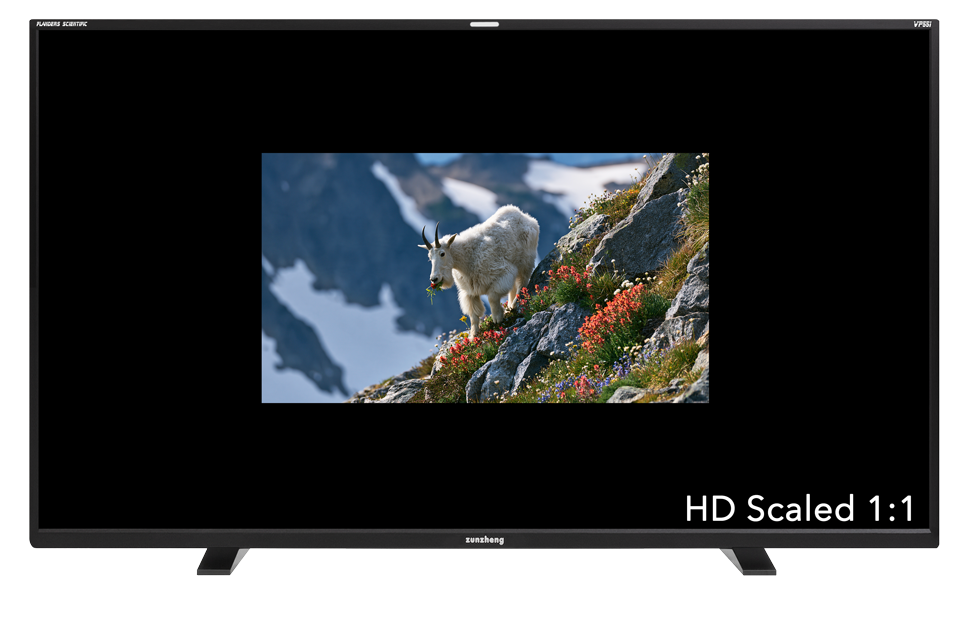
The VP551 is a true UHD resolution monitor (3840x2160) that supports full screen viewing of HD and Ultra HD signals and will also accept 4K signals and scale them automatically to fit on screen while preserving native signal aspect ratio.
High-Quality, Ultra-Low-Latency Scaling
VP series monitors feature high-quality bicubic scaling, ensuring that even HD sources appear clear and sharp on screen. Unlike many consumer devices, this scaling is performed in near real-time, offering exceptional, low-latency processing that's ideal for on-set or audio-critical applications.
Additionally, a 1:1 pixel mapping mode is available, providing a true reference QC viewing mode for any incoming signal.

Interlaced Signal Monitoring
The VP551 has the unique ability to replicate interlaced video accurately on screen making it ideal for spotting quality control concerns like field reversals. The VP551's QD-OLED panel is also not susceptible to the fast onset TIR & after-image flicker that occurs on many IPS LCD panels when trying to simulate interlaced video accurately on screen.

Panel Specifications
| Screen Size | 55" Diagonal |
| Resolution | 3840x2160 |
| Panel Technology | Quantum Dot OLED |
| Bit Depth (Color) | 10bit (1.073 Billion Colors) |
| Contrast Ratio | ~8,000,000:1 |
| Max Luminance | ~4,000cd/m2 @ L18 ~2,200cd/m2 @ L32 ~1,100cd/m2 @ L50 ~400cd/m2 @ Full Screen |
| Viewing Angle | 179° |
| Pixel Efficiency | 99.999% |
Maximum Native Color Gamut
| Max Native Color Gamut | 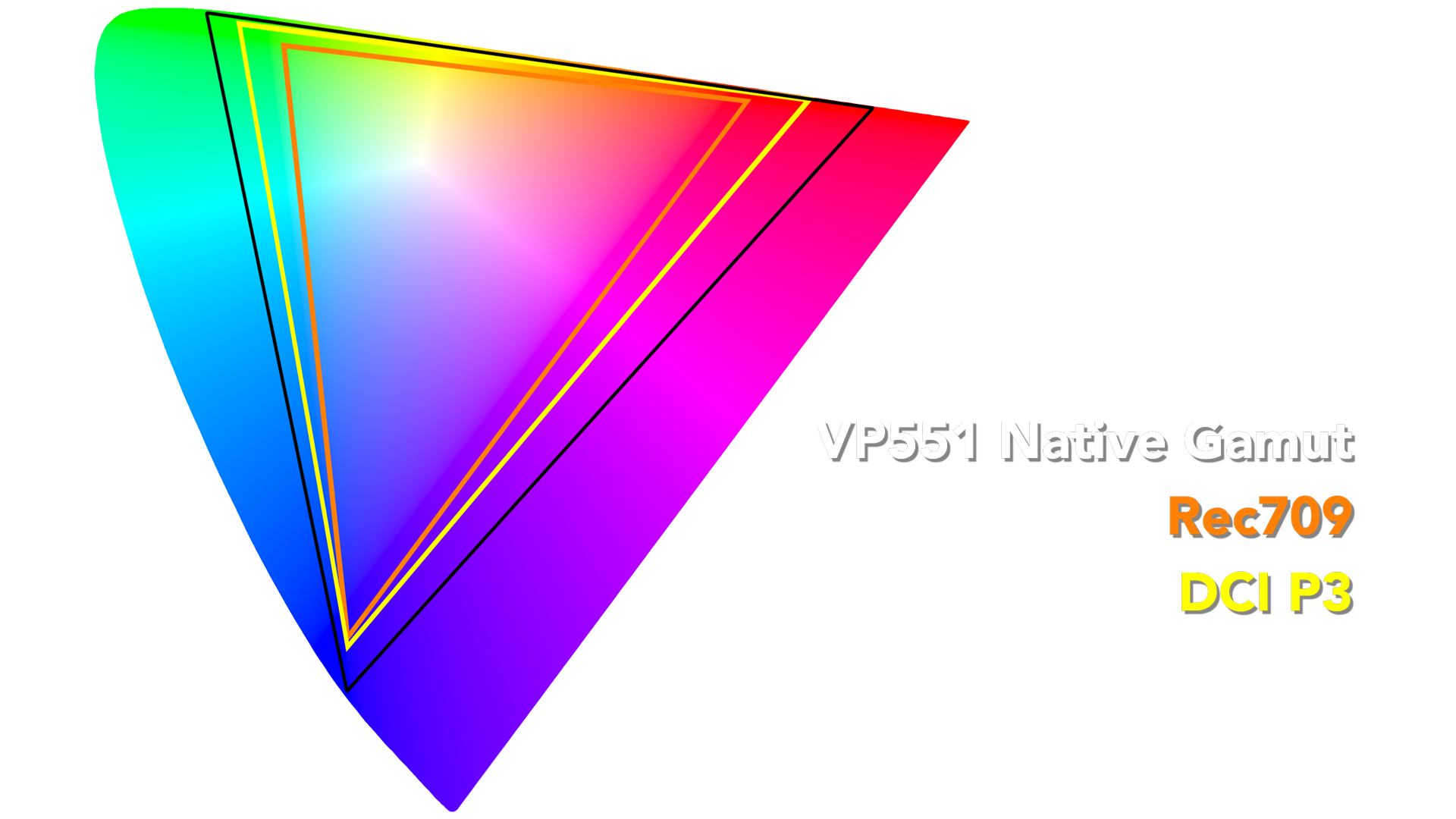 |
Inputs
| SDI Inputs | 4 x 12G/6G/3G/HD-SDI |
| HDMI 2.1 | 1 |
| DisplayPort 1.4 | 1 |
Outputs
| Clean Loop Outputs | 4 x 12G/6G/3G-SDI |
Supported SDI Formats
| SMPTE-274M | 1080i (60/59.94/50) 1080p (30/29.97/25/24/24PsF/23.98/23.98PsF) |
| SMPTE-296M | 720p (60/59.94/50/30/29/25/24/23.98) |
| 2K | 2048x1080 (30p/30PsF/29.97p/29.97PsF/25p/25PsF/24p/24PsF/23.98p/23.98PsF) |
| SMPTE-372M | 1080p (60/59.94/50) 4:2:2 YCbCr, RGB 1080i (29.97/25/24/23.98) 4:4:4 YCbCr, RGB 1080p (30/29.97/25/24/23.98) 4:4:4 YCbCr, RGB 720p (60/59.94/50) 4:4:4 YCbCr, RGB |
| SMPTE-425M-AB - Level A & Level B supported - Level B supports 2 x SMPTE 292M image format mapping 372M image format mapping - RGB & YCbCr |
12 & 10bit 4:2:2 1920x1080p (60/59.94/50) 4:4:4 1280x720p (60/59.94/50/30/29.97/25/24/23.98) 12 & 10bit 4:4:4 1920x1080i (60/59.94/50) 12 & 10bit 4:4:4 1920x1080p (30/29.97/25/24/23.98 + PsF variations) 12 & 10bit 2k (2048x1080)p (30/29.97/25/24/23.98 + PsF variations) 12 & 10bit 2K (2048x1080)p (60/59.94/50/48/47.95) |
| ST2081 & ST2082 UHD, 4K DCI, 8K UHD, 8K DCI Single-Link 12G Single-Link 6G Dual-Link 12G Dual-Link 6G Dual-Link 3G Quad-Link 12G Quad-Link 6G Quad-Link 3G Quad-Link 1.5G |
10 & 8bit 4:2:2 4096x2160p (60/59.94/50/48/47.95/30/29.97/25/24/23.98) 10 & 8bit 4:2:2 3840x2160p (60/59.94/50/30/29.97/25/24/23.98) 12 & 10bit 4:4:4 4096x2160p (60*/59.94*/50*/48*/47.95*/30/29.97/25/23/23.98) YCbCr & RGB 12 & 10bit 4:4:4 3840x2160p (60/59.94/50/30/29.97/25/24/23.98) YCbCr & RGB 10 & 8bit 4:2:2 8192x4320p (60*/59.94*/50*/30*/29.97*/25*/24*/23.98*) 10 & 8bit 4:2:2 7860x4320p (60/59.984/50/30/29.97/25/24/23.98) 12 & 10bit 4:4:4 8192x4320p (60*/59.94*/50*/30*/29.97*/25*/24*/23.98*) 12 & 10bit 4:4:4 7860x4320p (60/59.984/50/30/29.97/25/24/23.98) *These formats supported via 2SI only. |
Audio
| Audio Out (Mini-Jack) | 1 |
| Optical S/PDIF Out | 1 |
Features
| Color Space Selections | REC709/DCI-P3/Rec2020*/Custom *covers ~90% of Rec2020 color gamut |
| Color Temperature Selections | 3200K, 5000K, 6000K (P3-D60), 6300K (P3-DCI), 6500K, 9300K, CUSTOM |
| EOTF Selections | γ(1.0 / 1.8 / 2.0 / 2.2 / 2.35 / 2.4 / 2.6 / 2.8), PQ-ST2084, HLG, CUSTOM |
| Direct Connect Volumetric AutoCal | Compatible with CR100, K10A, K80, & CA410 |
Power
| AC Input | IEC / C14 |
| Power Requirement | 100~240 VAC |
| Power Consumption (Appx.) | 75W - 325W |
Physical Characteristics
| Weight (without Desktop Feet) | 39 lbs (17.7 kg) |
| Weight with Desktop Feet | 40.4 lbs (18.3 kg) |
| External Mounting Points | 300mm x 200mm VESA |
| Chassis | Aluminum Frame |
| Dimensional Drawings | Coming Soon |